A redirect mapping template for your site migration (with a column for what you checked)
A copy-and-paste redirect mapping template for a site migration, with a column to log each URL's checked status after launch, and how to fill it in.

- The redirect mapping template below has ten columns. Copy it into Google Sheets or Excel and add one row per old URL.
- The column most templates leave out is Checked status, where you log what each old URL actually did after launch.
- Sort rows by priority (backlinks, clicks, pages that make money) and check those first.
- Seoprama's redirect checker checks one URL at a time for 2 credits. For redirect chains across the whole site, run the site audit at 1 credit a page.
- Checking a hypothetical 450-page migration end to end comes to 1,267 credits, about $4 at $19 pack rates.
Your developer says the redirects are “all done”. Your boss asks whether the migration is safe. And the only honest answer you have is “I think so”, because nobody wrote down which old URL should go where, let alone whether anyone checked.
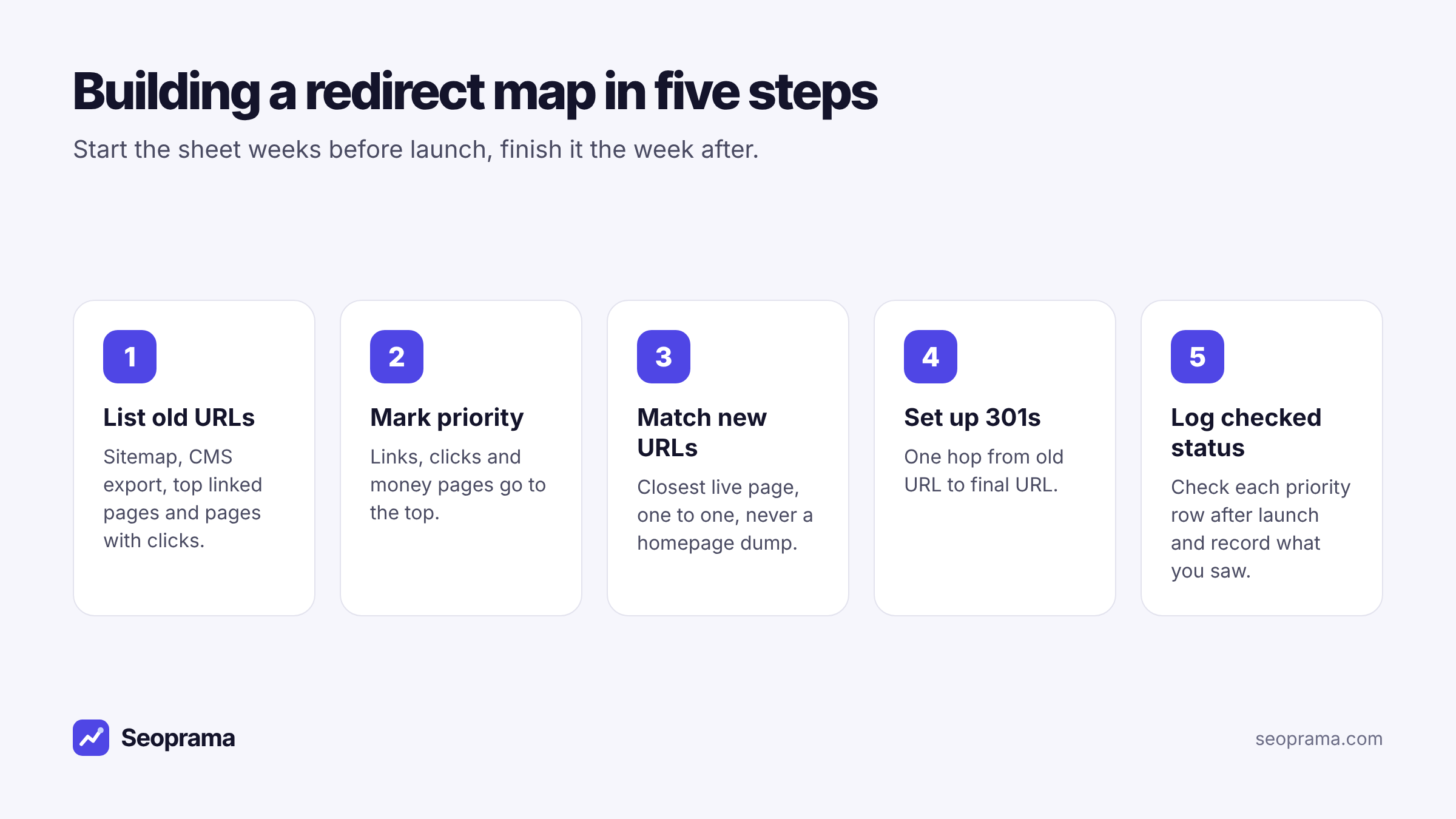
That’s what a redirect mapping template fixes. It’s a plain spreadsheet with one row per old URL, the new URL it should land on, and a record of what happened when you tested it. Below is a template you can copy straight into Sheets or Excel, how to fill each column, and how to check the rows after launch without paying for a monthly crawler.
The redirect mapping template (copy this into Sheets or Excel)
Select the table below, copy it, and paste it into cell A1 of a new Google Sheet or Excel file. The columns come across as columns. Then delete the example rows.
Or just type the ten headers into row 1 yourself. It takes a minute.
| Old URL | New URL | Type | Priority | Why it matters | Owner | Live date | Checked status | Final URL seen | Notes |
|---|---|---|---|---|---|---|---|---|---|
| /blog/2021/seo-tips | /blog/seo-tips | 301 | High | 14 referring domains | Dev | 12 Mar | OK | /blog/seo-tips | One hop |
| /services/web-design.html | /services/web-design | 301 | High | Gets enquiries | Dev | 12 Mar | Chain | /services/web-design | http to https to new slug, fix rule |
| /team/old-intern-page | /about | 301 | Low | No links, no clicks | Marketing | 12 Mar | Temporary | /about | 302 from CMS plugin, change to 301 |
| /offers/summer-2023 | /offers | 301 | Medium | 3 referring domains | Marketing | 12 Mar | Not checked |
That’s it. Ten columns, one row per old URL. The example rows are made up, but they’re the kind of thing you’ll see on day one after a launch.
A note on what this isn’t: there’s no file to download here. The table above is the template. I’d rather you copy ten clean headers than open someone’s 14-tab workbook and spend an hour deleting tabs you’ll never use.
What each column is for (and which ones people skip)
Old URL. The path as it exists today. Use the path only (/blog/seo-tips), not the full domain, unless the domain itself is changing. Then use full URLs on both sides so nobody confuses the two sites.
New URL. Where that page should end up. One destination per row. If you can’t decide, leave it blank and flag it rather than guessing.
Type. Almost always 301. Write it down anyway, because it’s the column your developer reads when setting up the rules. If something genuinely needs a temporary redirect, the reason goes in Notes.
Priority. High, Medium or Low. This decides which rows you check first after launch. More on how to set it below.
Why it matters. A few words of evidence: “14 referring domains”, “top 10 page for clicks”, “pricing page”. When someone asks why you spent a morning on row 37, this column answers them.
Owner. Who sets up and fixes the redirect. On a small site that’s one developer. On a bigger one it might be split between the dev team and whoever manages the CMS.
Live date. When the redirect went live. Useful when a row breaks a week later and you need to know whether it ever worked.
Checked status. The column most templates leave out, and the reason this one exists. After launch you test the old URL and write down what actually happened, using one of six values (next section).
Final URL seen. Where the old URL really landed when you checked it. If this doesn’t match New URL, you’ve found a problem.
Notes. Anything that doesn’t fit: “goes through 3 hops”, “CMS adds trailing slash”, “page deleted on purpose”.
The two columns people skip are Why it matters and Checked status. They’re also the two that make the sheet useful after launch. Without them you have a list of wishes. With them you have a record.
Filling in the Checked status column
Pick one value per row. Keep the wording identical so you can filter and count. I use six:
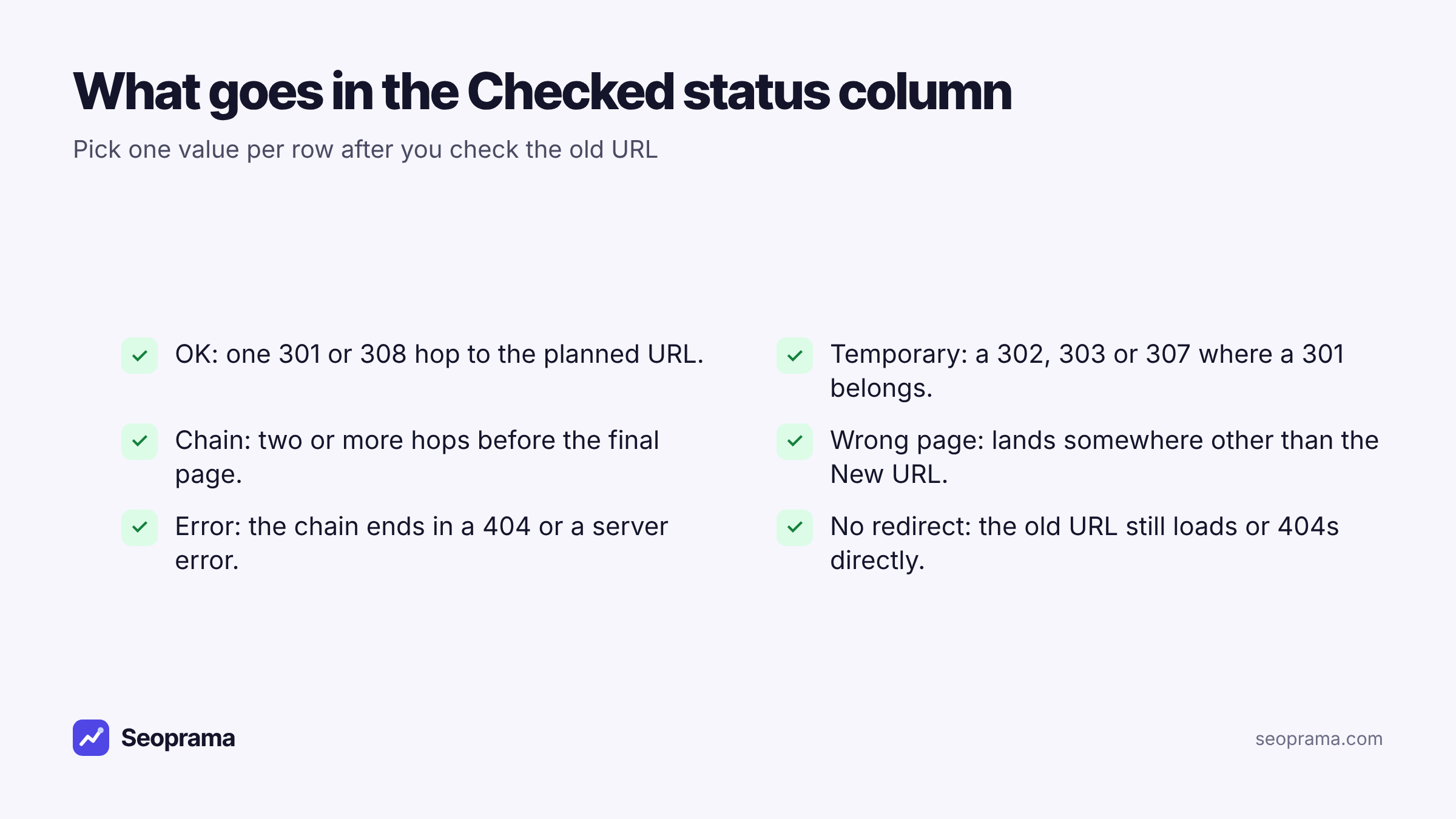
- OK. One permanent hop (301 or 308) to the URL in New URL.
- Temporary. It redirects, but with a 302, 303 or 307 where you planned a 301.
- Chain. Two or more hops before the final page.
- Wrong page. It lands somewhere other than New URL. Often the homepage.
- Error. The chain ends in a 404 or a server error.
- No redirect. The old URL still loads its own page, or returns a 404 straight away.
Leave “Not checked” as the default until you’ve tested a row. Then filter the column to anything that isn’t OK. That filtered view is your fix list for the developer, and it’s the screenshot your boss actually wants.
About 21 keyword searches, or a few searches plus a backlink lookup and a week of rank tracking. No monthly plan, and credits never expire.
Where to get the list of old URLs
The map is only as good as the list of old URLs in column A. Pull it from more than one place, because each source misses something.
Your XML sitemap and CMS export. The quickest start. But sitemaps often skip old pages, PDFs and anything someone forgot to include.
A crawl of the old site. Run a site audit on the old site before launch. It follows internal links, reads robots.txt and sitemaps, and checks every page it finds, up to 10,000 pages. It also tells you which old pages are already broken or already redirecting, so you don’t spend time mapping URLs that died years ago.
Pages that get clicks. If the site is in Google Search Console, its page report shows which URLs get clicks and impressions. Seoprama’s Search Console insights shows the same data by page, with filters and export, for about 5 credits a report.
Pages with backlinks. Run a backlink lookup on the old domain. It lists your top linked pages, including broken pages that still have links. These are the old URLs other sites point at, and some of them won’t be in your sitemap at all.
Merge everything, remove duplicates, and you’ve got column A. On most small sites the backlink list is where the surprises are: a 2019 guide that three industry sites still link to, sitting outside the sitemap, about to become a 404.
Matching old URLs to new ones without cutting corners
This is the slow part, and it’s where most maps go wrong. A few rules I stick to:
Match on topic, not on URL shape. /blog/2021/seo-tips should go to the new article about the same thing, even if the slug changed completely. Don’t redirect it to /blog just because the folders line up.
One old URL, one row. Don’t write “/blog/* goes to /blog/” and move on. Pattern rules are fine for the developer to implement, but the map should still list the important URLs one by one, so each can be checked.
Send removed pages to the closest match. A discontinued product goes to its category or to the product that replaced it. The homepage is the last resort, and only when nothing closer exists.
Point straight at the final URL. If the new site forces https and a trailing slash, put the exact final form in New URL. That way the developer sets up one hop instead of three.
Write down deliberate deletions. Some pages should just go. Put them in the sheet with “removed on purpose” in Notes. Otherwise someone will find the 404 after launch and panic.
Say you’re moving a 450-page site to a new CMS. A realistic split is a couple of hundred rows that map cleanly, a few dozen that need a judgment call, and a handful you delete on purpose. The judgment calls are where your time goes, so get the clean ones done fast and save your attention for those.
Setting the priority column so you check the right rows first
You won’t check every row by hand on a big site, and you don’t need to. Priority tells you where to start.
High: pages with referring domains, pages in your top clicks from Search Console, and pages that make money (pricing, services, best-selling products, contact).
Medium: pages with a few links or a steady trickle of clicks, and anything in the main navigation.
Low: everything else. Old tag pages, thin archive pages, a staff profile from 2020.
On most sites High is a small share of the rows and holds most of the value. Check all of it by hand. Spot-check Medium. Let the site audit catch problems across the Low rows.
Checking each row after launch with the redirect checker
Here’s the hands-on bit. Once the new site is live, take your High rows and test each old URL.
Paste the old URL into Seoprama’s redirect checker. It follows the URL the way a browser or Googlebot would, for up to 10 hops, and shows each URL and its status code along the way. It labels 301 and 308 as permanent and 302, 303 and 307 as temporary, and warns you about temporary redirects and chains that end in an error.
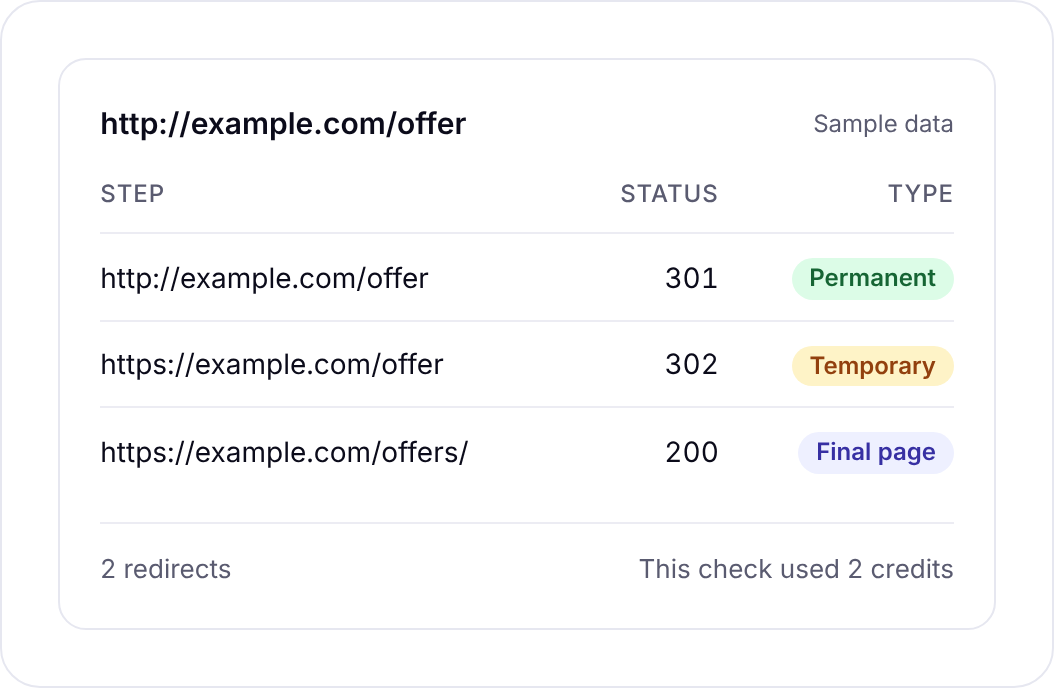
Then fill in the sheet straight from what you see:
- Read the last URL in the chain and paste it into Final URL seen.
- Count the hops. More than one means Chain.
- Any temporary label means Temporary, unless you planned it.
- If the last step is a 404 or a server error, mark Error and move that row to the top of the fix list.
- If Final URL seen doesn’t match New URL, mark Wrong page.
Each check costs 2 credits, which is under a cent at $19 pack rates. Checking 150 priority rows is 300 credits.
Follows up to 10 hops and flags temporary redirects and chains that end in errors.
One URL at a time: when that’s fine and when to run the audit
Be clear on the limit before you plan your week. The redirect checker does one URL at a time. There’s no bulk upload yet, so you can’t paste in the whole sheet and get 450 results back.
For a priority list of 50 to 150 URLs, one at a time is fine. It’s a focused hour or two, and you look at each chain properly instead of skimming a giant export.
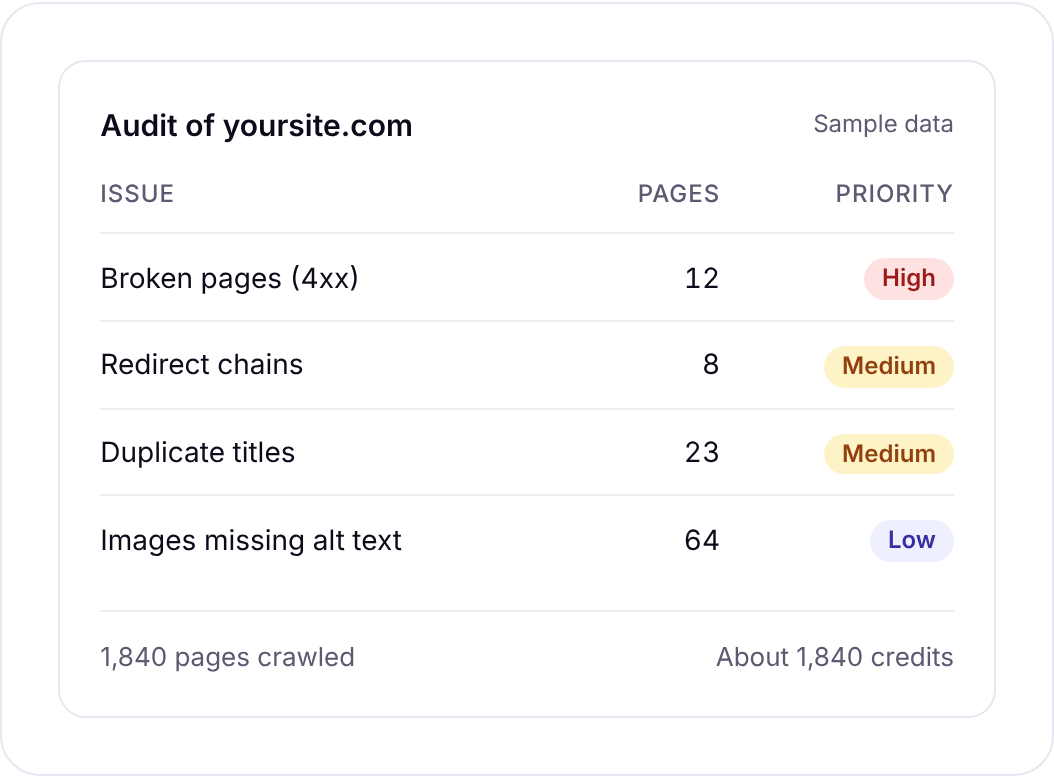
For the whole site, run the site audit on the new site after launch. It finds redirect chains and loops across every page it crawls, along with broken pages and server errors. That covers the Low rows you’ll never check by hand, and it catches internal links that still point at old URLs.
So the split I’d use: audit for coverage, checker for the rows that matter, sheet for the record. If you want more on the checker itself, including what it costs and how it compares with free tools, there’s a separate write-up on the pay-per-use redirect checker.
If you need to process thousands of URLs from a spreadsheet every week, a desktop crawler or a dedicated bulk checker will suit you better today. I’d rather you knew that before launch day than after.
What checking a migration costs, worked out
Here’s a hypothetical example. You’re moving a 450-page site, and you want to do it properly: find the linked pages, crawl the old site before launch, crawl the new one after, and check 150 priority rows by hand.
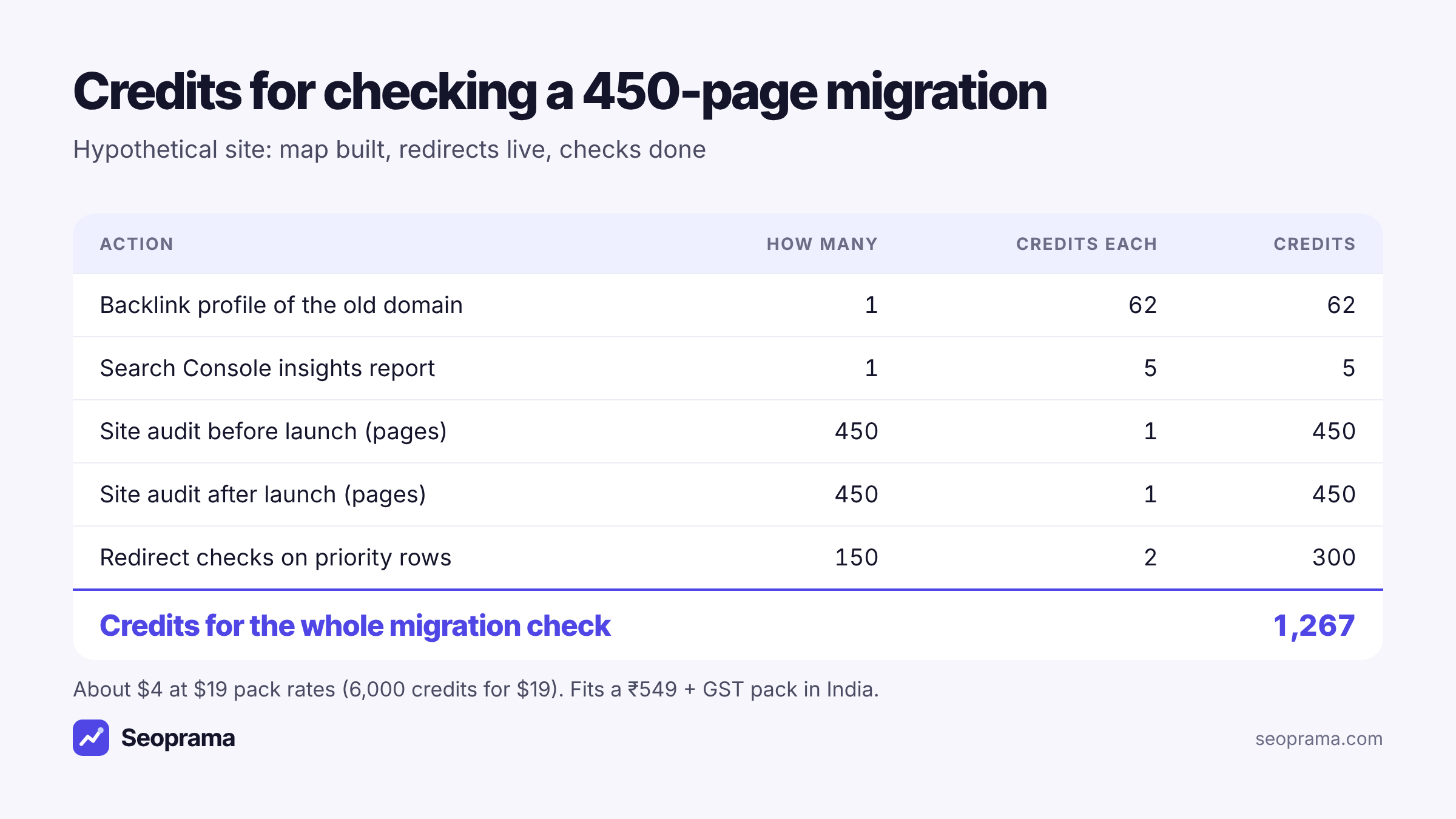
That’s 1,267 credits for the whole job:
- Backlink profile of the old domain: 62 credits
- One Search Console insights report: 5 credits
- Site audit of the old site, 450 pages: 450 credits
- Site audit of the new site, 450 pages: 450 credits
- 150 redirect checks at 2 credits each: 300 credits
At $19 pack rates (6,000 credits for $19) that’s about $4. The $19 pack covers it with 4,733 credits left, and credits never expire, so the rest waits for the next job. In India the ₹549 + GST pack has 2,900 credits, which covers it with 1,633 to spare.
The $2.99 trial gives you 1,000 credits. That’s not enough for this whole example, but it’s enough to audit a 450-page site once and check 150 priority URLs (750 credits), with room for a backlink lookup on top.
There’s no monthly plan to cancel afterwards. A migration is a one-off job, and paying for it once makes more sense than a subscription that keeps renewing long after the site is live. You can check pack sizes on the pricing page.
Buy credits once and spend them only when you run something. Bigger packs give more credits per dollar.
The URLs most redirect maps forget
These are the rows that tend to be missing when I look at someone else’s map:
PDFs and images. Brochures, price lists and old infographics often have links from other sites. If the file path changes, they need rows too.
URLs with parameters. /products?id=482 or ?page=2. Decide whether they redirect, and write the rule down.
Case and trailing-slash variants. /Services/ and /services might both be live today. Check which version has the links.
Subdomains. An old blog.example.com or shop.example.com moving into the main site needs its own block of rows.
Campaign landing pages. The page from a 2022 ad campaign isn’t in the menu or the sitemap, but people still find it through old emails and links.
Pages linked from your own emails and social profiles. Your email signature, your social bios, the welcome email in your automation. Check those URLs too, even though no crawler will ever find them.
Keep the sheet after launch
Don’t archive the map the day after launch. Keep it for at least a few months.
Re-check your High rows a week after launch, once caches have cleared and someone has inevitably “tidied up” a server rule. Re-run the site audit after any later change to the server, CMS or URL structure, and compare it with the previous crawl in your audit history.
And when the next redesign comes along, the old map tells you which URLs have already moved once. That’s how you avoid page A redirecting to B, which now redirects to C. Start the next map from this one, point the oldest URLs straight at their newest home, and check them again with the URL redirect checker.
Frequently asked questions
What should a redirect mapping template include?
At minimum, the old URL, the new URL and the redirect type. A useful one also has a priority, a reason the page matters, an owner, the live date, a checked status, the final URL you actually saw and notes. The checked status column is what turns the map into a record you can show people.
Is there a downloadable redirect map file?
Not from this post. The table above is the template: copy it into Google Sheets or Excel, or type the ten headers into row 1 yourself.
Can I check every URL in my redirect map at once?
Not with Seoprama’s redirect checker, which does one URL at a time. Check your priority rows with it, then run the site audit on the new site to find redirect chains, loops and broken pages across the whole site.
Should every old URL redirect to the homepage?
No. Send each old URL to the closest page about the same thing. The homepage is a last resort for pages with nothing closer, and visitors arriving from an old link usually wanted something specific.
How much does it cost to check a migration’s redirects?
Each redirect check costs 2 credits, under a cent at $19 pack rates. A hypothetical 450-page migration with two site audits, a backlink lookup, a Search Console report and 150 redirect checks comes to 1,267 credits, about $4.