A free monthly SEO report template you can copy into Docs or Sheets
A free monthly SEO report template for client work. Copy the nine sections into Docs or Sheets, then fill them with rank, link and audit data paid per use.

- The template below has nine short sections. Copy it straight into Google Docs or Sheets; there's no file to download.
- Lead with a three-line summary and a headline numbers table. Most clients read that and the plan, and little else.
- Each number comes from a tool: rankings, Search Console, a backlink profile and a site audit.
- Filling it for one small client in Seoprama costs about 877 credits a month, roughly $2.78 at $19 pack rates.
- Want it built for you? Seoprama's report builder is free for 3 months, then part of the Premium add-on at $10 a month.
Every month, the same blank page. You know what the client needs to hear, but you rebuild the structure from scratch, argue with yourself about which charts matter, and send something different from last month’s.
So here’s a monthly SEO report template you can copy today. It’s written for freelancers and small teams who report to clients, and it lives right here in the post: nine sections, two tables and the wording I’d use. Paste it into Google Docs or Sheets and it’s yours. After the template, I’ll show where each number comes from and what the data costs to pull each month.
What a monthly SEO report has to answer
Before the template, the one rule that shapes it. A client reads a monthly report to answer three questions:
- Is it working?
- What did you do?
- What happens next?
Everything in the template serves one of those. Anything that doesn’t (a pie chart of browser versions, forty rows of keywords nobody asked about) goes in an appendix or nowhere.
Most clients read the first page and the plan. So the first page has to carry the whole story, and the detail sits behind it for when they ask.
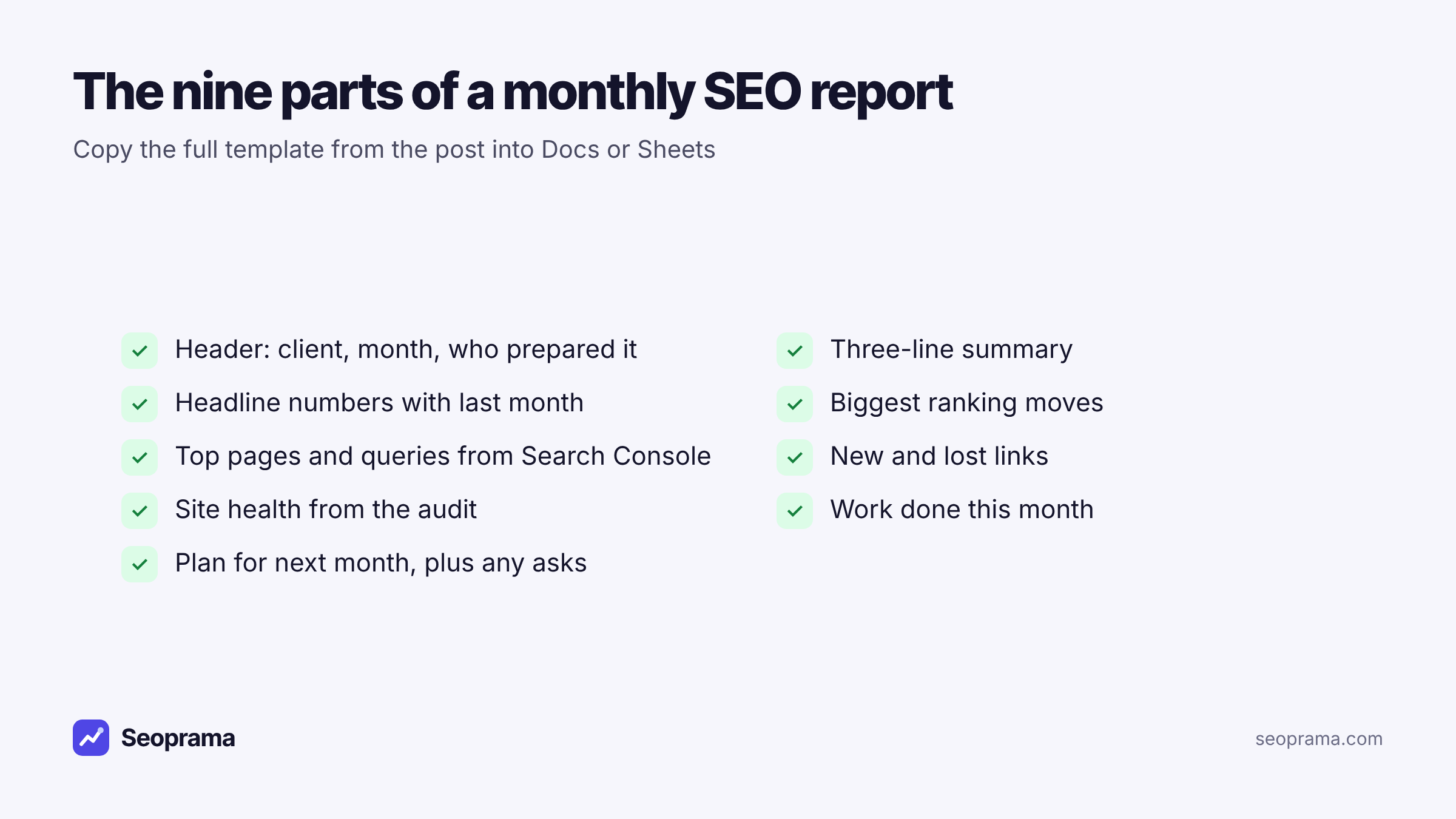
The monthly SEO report template (copy this)
Copy everything from here to the end of section 9 into a Google Doc. Text in square brackets is a placeholder. The tables paste cleanly into Docs and into Sheets.
1. Header
SEO report: [Client name] Period: [1 to 31 October 2026] Prepared by: [Your name or agency], [date sent]
2. Summary in three lines
- What moved: [Non-brand clicks rose 14% on last month, mostly from the services pages.]
- Why: [The two service pages we rewrote in September now rank on page one for their main terms.]
- What’s next: [Rewrite the two remaining service pages and fix the 12 broken pages from the audit.]
Write this last, but put it first. If the client reads nothing else, this should be enough.
3. Headline numbers
| Metric | This month | Last month | Change | Source |
|---|---|---|---|---|
| Clicks from Google | [ ] | [ ] | [ ] | Search Console |
| Impressions | [ ] | [ ] | [ ] | Search Console |
| Tracked keywords in the top 10 | [ ] | [ ] | [ ] | Rank tracker |
| Tracked keywords in the top 3 | [ ] | [ ] | [ ] | Rank tracker |
| Referring domains | [ ] | [ ] | [ ] | Backlink profile |
| Pages with errors | [ ] | [ ] | [ ] | Site audit |
| Leads or enquiries (if shared) | [ ] | [ ] | [ ] | Client or analytics |
Keep it to six or seven rows. If a client cares about a number, it goes here. If they don’t, it doesn’t.
4. Biggest ranking moves
| Keyword | Last month | This month | Ranking page | Note |
|---|---|---|---|---|
| [root canal cost pune] | [11] | [6] | [/root-canal] | [Page rewritten 12 Oct] |
| [ ] | [ ] | [ ] | [ ] | [ ] |
Five rows up, up to three rows down. Always explain the drops. A client who finds a drop you didn’t mention trusts the rest of the report a little less.
5. Search Console: top pages and queries
- Top 5 pages by clicks: [page, clicks, change]
- Top 5 non-brand queries by clicks: [query, clicks, average position]
- One query to watch: [high impressions, low clicks, and what you’ll do about it]
6. Links
- New referring domains this month: [number], including [two or three notable ones]
- Lost referring domains: [number], and whether any mattered
- Outreach this month: [what you sent, what landed]
7. Site health
- Pages crawled: [number]
- Errors fixed since last month: [number and type, e.g. 8 broken pages redirected]
- Still open: [the top three issues and who owns them: you, the developer or the client]
8. Work done this month
- [Rewrote /root-canal and /dental-implants]
- [Fixed 8 broken internal links]
- [Published one new page: /teeth-whitening-cost]
- [Sent 15 outreach emails, 2 links secured]
9. Next month, and anything we need from you
- Plan: [three items, in order]
- Asks: [access, approvals, photos, a quote from the dentist for the new page]
That’s the template. On a small site it fits on two pages, which is about right.
You can fill it from any tools you already use. If you don’t have any yet, a $2.99 trial in Seoprama gives you 1,000 credits, enough to set up weekly tracking for a client’s keywords and pull a backlink profile and a Search Console report for this month’s numbers.
About 21 keyword searches, or a few searches plus a backlink lookup and a week of rank tracking. No monthly plan, and credits never expire.
Where each number comes from
A template is only as quick as the data behind it. Here’s where each section’s numbers come from, and the Seoprama tool that pulls them. Credit costs are from Seoprama’s pricing.
| Section | Data you need | Seoprama tool | Credits |
|---|---|---|---|
| Headline numbers, Search Console | Clicks, impressions, top pages and queries | Search Console insights | About 5 per report |
| Headline numbers, ranking moves | Positions for your tracked keywords | Rank tracking | 6 per keyword per month, weekly, top 30 |
| Links | Referring domains, new and lost links | Backlink checker | About 62 per profile |
| Site health | Errors, broken pages, redirect chains | Site audit | About 1 per page |
| Leads | Enquiries or conversions | From the client or your analytics | None |
The rank tracking tool does most of the heavy lifting. It checks your keywords on a schedule (weekly is plenty for a monthly report), shows the ranking URL for each one, and keeps a history grid you can read the “last month” column from. It exports to Google Sheets or CSV, which drops straight into section 4.
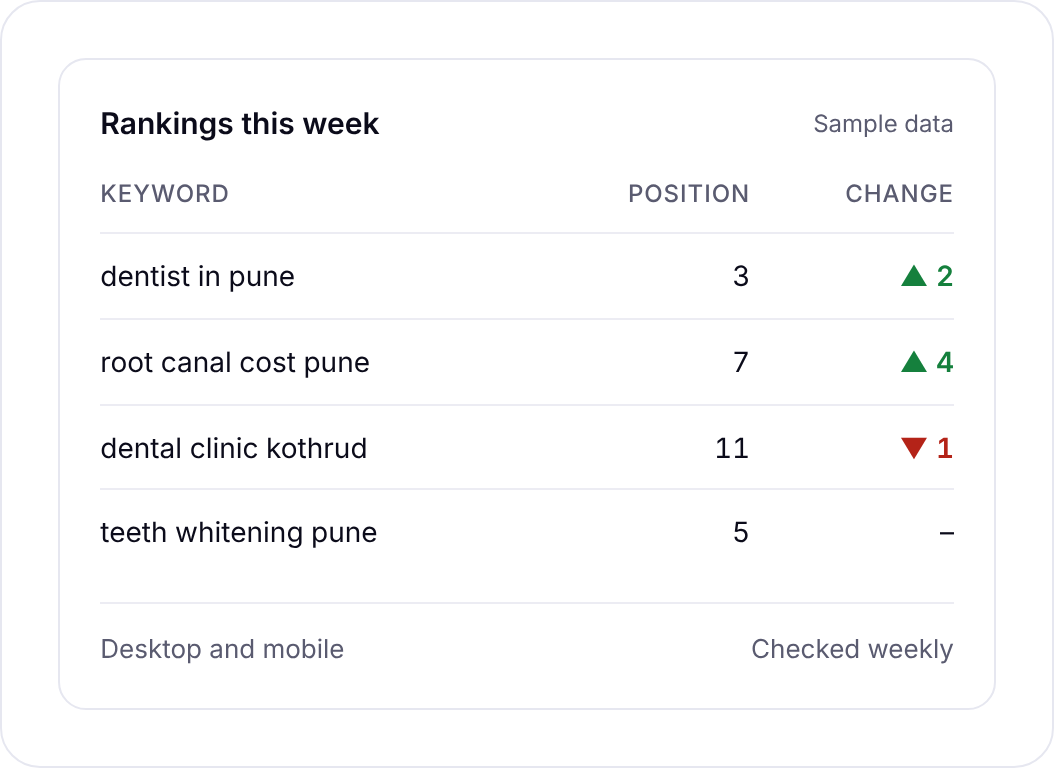
The backlink checker gives you new and lost links charts for section 6, and the site audit lists broken pages, redirect chains, duplicate titles and other issues for section 7.
Up to 1,000 keywords per tracker with no tiers. A keyword checked weekly uses 6 credits a month.
What it costs to fill the template each month
The template is free. The data in it isn’t, wherever you get it. Here’s what one client’s month looks like in Seoprama. It’s a hypothetical example: a small business site with 100 tracked keywords and about 200 pages.
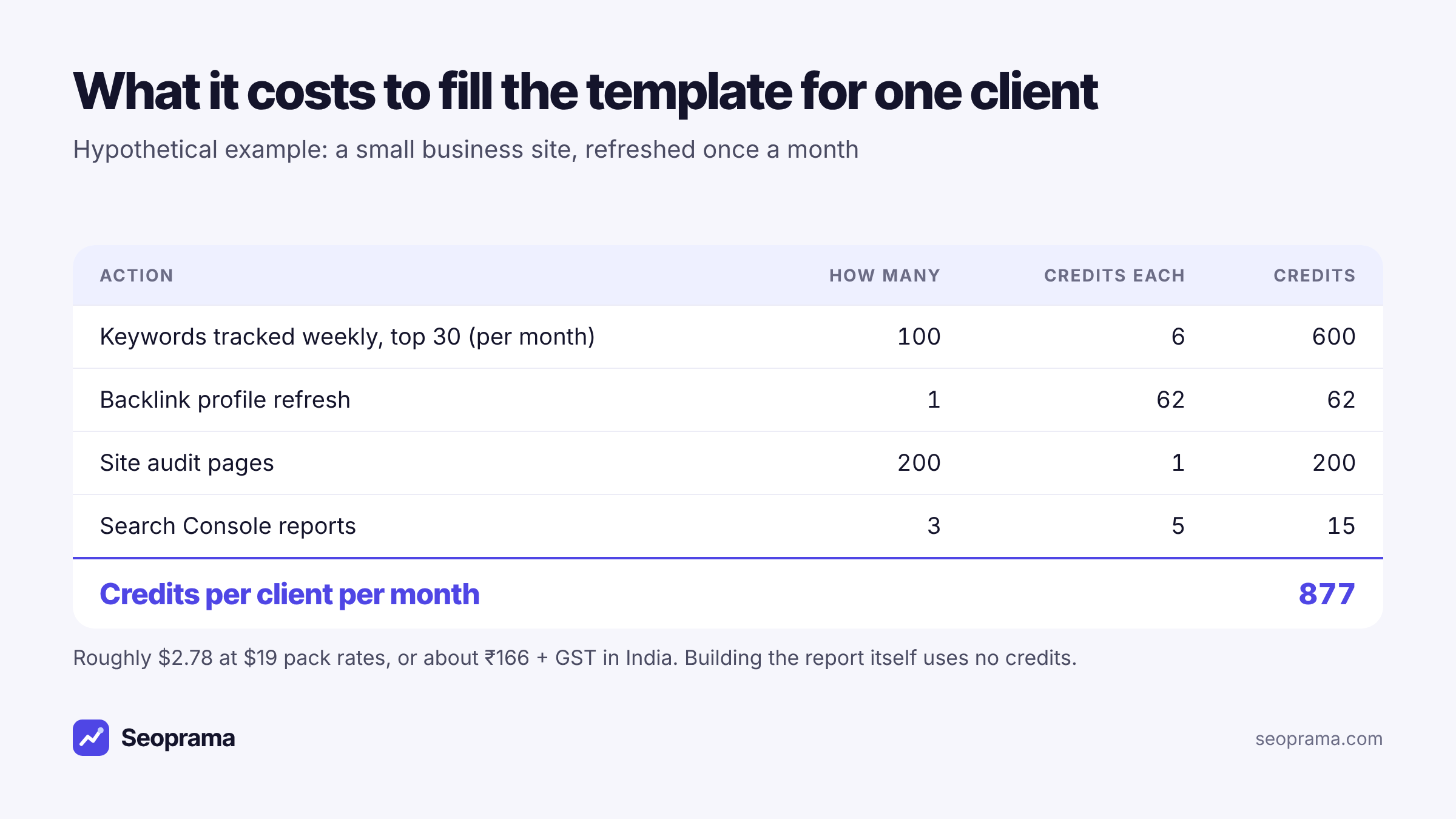
- Rank tracking: 100 keywords checked weekly in the top 30 is 600 credits a month.
- Backlink profile: one refresh a month, about 62 credits.
- Site audit: 200 pages at about 1 credit a page, so about 200 credits.
- Search Console: three reports (28 days, the pages tab and a brand filter), about 15 credits.
That’s 877 credits, roughly $2.78 at $19 pack rates. A $19 pack (6,000 credits) covers six clients like that for a month, with credits left over. In India, the ₹549 + GST pack has 2,900 credits, enough for three such clients.
Two ways to spend less, if you need to. Run the audit every second month for a stable site; nothing much changes on a 200-page brochure site in four weeks. And trim the keyword list. Most clients care about 30 to 50 keywords, and the rest are there because somebody once added them.
Credits never expire, so a month where you skip the audit simply leaves those credits for the next one. Want to price your own client list? The package builder turns your usage into a monthly number before you buy anything.
Tick the tools you use, enter how much, and get a monthly number in your currency before you spend anything.
Filling in the template, step by step
Here’s the routine I’d follow for each client, once the trackers are running.
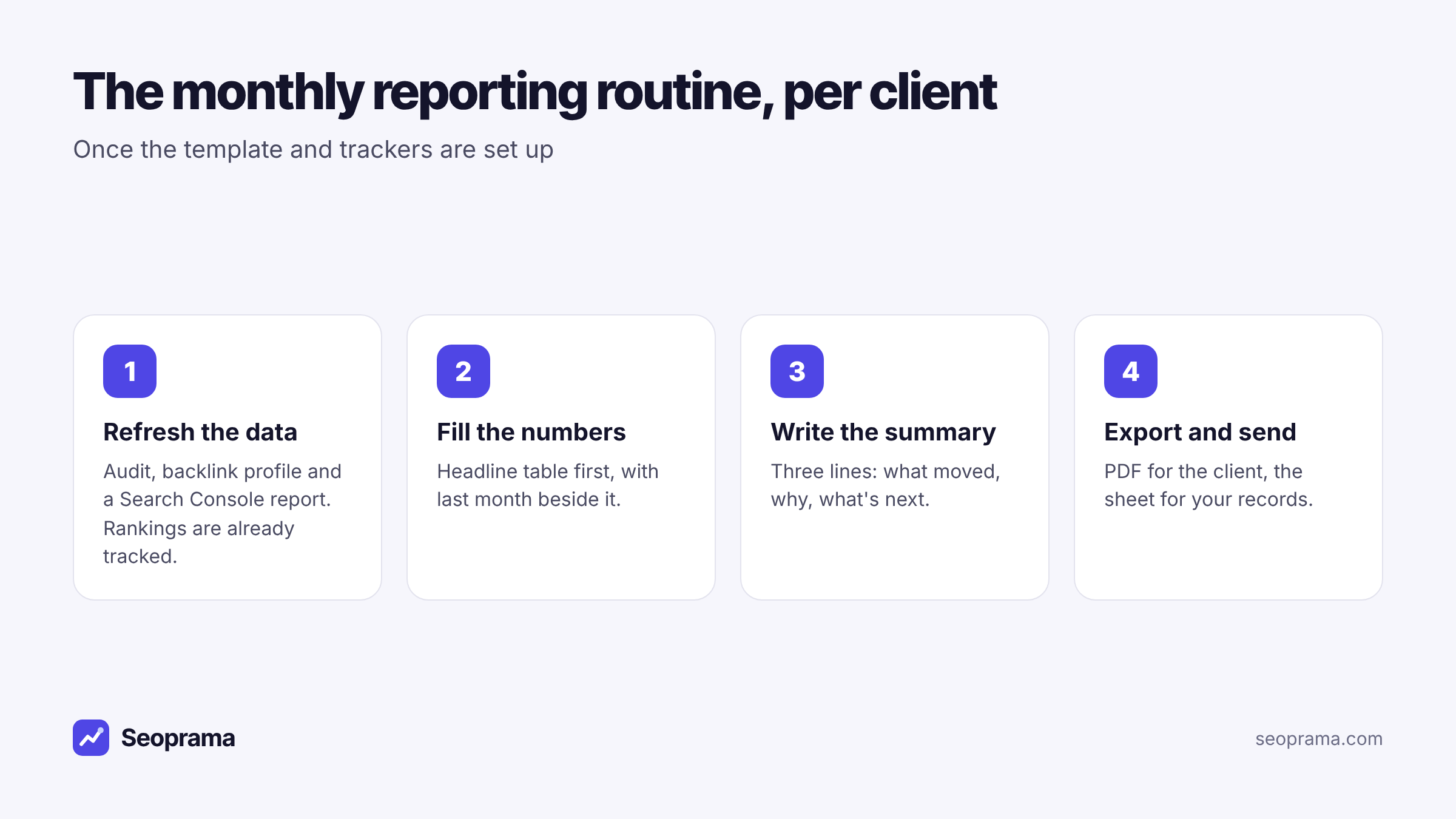
1. Refresh the data on the first working day. Run the site audit and the backlink profile, and load a 28-day Search Console report. The rank tracker has been checking weekly all month, so there’s nothing to run there.
2. Fill the headline numbers table first. Put last month’s figures beside this month’s before you look at anything else. It stops you building a story around one exciting number.
3. Pick the ranking moves. Export from the rank tracker, sort by change, and take the top five up and the worst three down. Add the ranking page for each. If a different page started ranking for a keyword, note it. That’s often the real story.
4. Write sections 6 to 9. Links, site health, work done and next month. Keep each to a few bullets.
5. Write the summary last. Three lines. If you can’t say what moved and why in one line each, the month probably didn’t have a clear story, and that’s fine to say.
6. Export and send. PDF for the client. Keep your Sheet as the record.
The first month takes the longest. After that you’re copying the “this month” column into “last month” and filling in new numbers.
Keep your own history from day one
Here’s a catch worth knowing before your third month. Seoprama keeps the last 14 days of rank tracking history on every account. With the Premium add-on, every daily check is kept for good.
So if you’re filling the template by hand without Premium, record each month’s numbers in your Sheet as you go. One tab per client, one row per month. In six months you’ll have a trend line no tool can take away from you, and you’ll be able to answer “how were we doing in March?” in ten seconds.
Search Console data comes from Google, and the Seoprama view covers up to 3 months at a time, which handles last month against this month comfortably. For year-on-year comparisons, go to Google’s own interface.
Turning the template into a report builder report
If you’d rather not copy numbers by hand every month, the report builder builds the same structure from live data. Each section of the template maps to a card: rankings, Search Console, GA4, backlinks, site audit and AI prompt tracking. Each card can be a table, bar, pie, line chart or a single number, and text works like a document for your summary and notes.
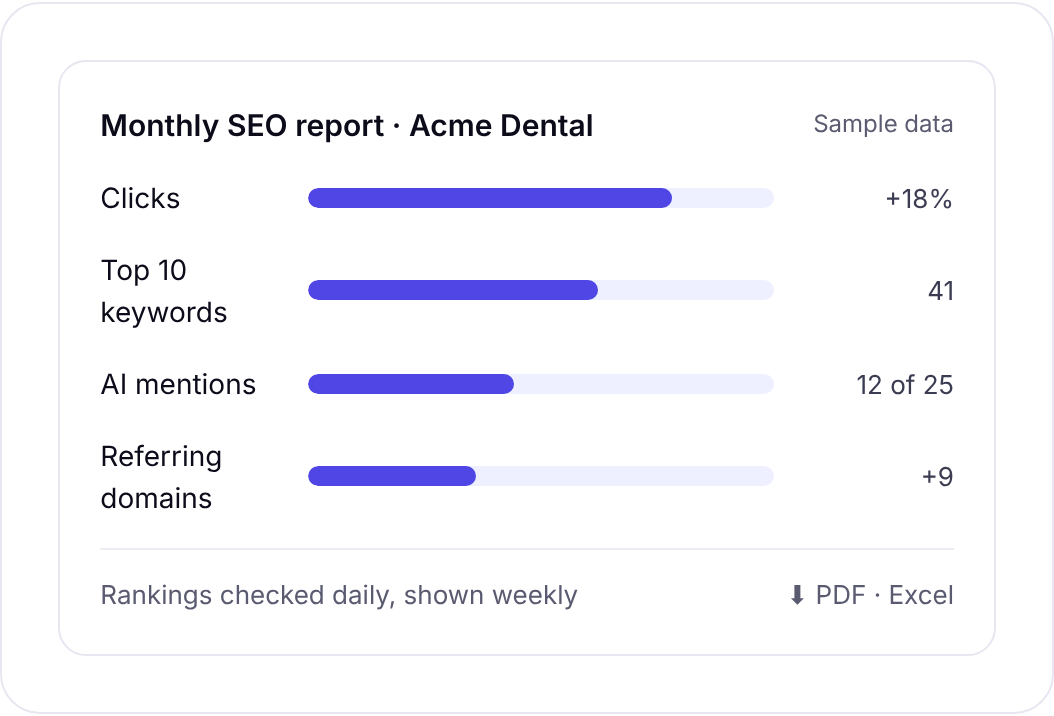
Next month, you change the date range and the live numbers update. You rewrite the summary and send it. Export to PDF (A4 or Letter, with a cover page and page numbers) or to Excel with one sheet per card.
On price: the report builder is free for your first 3 months. After that it’s part of the Premium add-on, $10 a month (£8, €10, or ₹500 + GST in India), for all your reports, and building a report uses no credits. Premium also keeps your full ranking history and adds white label. I’ve covered the pricing and the per-client alternatives in detail in an SEO report builder with no subscription fee per client, so I won’t repeat it here.
Rankings, traffic and AI mentions in one report, exported to PDF or Excel.
A sensible path is to start with the copy-and-paste template, use the free 3 months to rebuild it in the report builder, and decide on Premium once you know whether you’d miss it.
Mistakes that make clients stop reading
A few habits I’d drop, whichever template you use.
Leading with rankings for keywords nobody searches. Position one for a term with no searches makes a nice chart and means nothing. Pick ranking moves for keywords that bring, or could bring, real clicks.
Average position as a headline. Search Console’s average position blends every query together. It can fall while traffic rises, because the site started appearing for more searches. Use clicks as the headline and keep position for specific keywords.
Hiding the bad month. Every account has one. Say what happened, what you think caused it, and what you’re doing. Clients forgive a drop. They don’t forgive finding it themselves.
Too many pages. If your report runs past four pages for a small business, cut. Put the detail in the Sheet and offer it.
No asks. If you need the client to approve a page, send photos or give a developer access, put it in section 9 with a date. Reports are the one document clients reliably open.
Frequently asked questions
What should a monthly SEO report include?
A short summary, a headline numbers table with last month beside this month, the biggest ranking moves, Search Console’s top pages and queries, new and lost links, site health from an audit, the work you did, and next month’s plan with anything you need from the client.
Is this monthly SEO report template free?
Yes. The template is in the post itself as text and tables. Copy it into Google Docs or Sheets and edit it however you like. There’s no file to download and nothing to sign up for.
How long should a monthly SEO report be?
For a small business, two to four pages. Put the summary and headline numbers on the first page, because that’s what most clients read. Keep the detail in a spreadsheet you can share on request.
What does it cost to pull the data for a monthly SEO report?
In Seoprama, a small client with 100 weekly-tracked keywords, one backlink refresh, a 200-page audit and three Search Console reports uses about 877 credits a month, roughly $2.78 at $19 pack rates. Building the report itself uses no credits.
Can I automate the monthly report instead of filling it in by hand?
Yes. Seoprama’s report builder turns the same sections into cards with live data, and you change the date range each month. It’s free for your first 3 months, then part of the Premium add-on at $10 a month (₹500 + GST in India).