Rank tracking cost per keyword: a simple calculator you can copy
Work out what tracking any number of keywords costs a month, weekly or daily, per client. A formula, a copyable sheet and worked agency numbers.
- The formula: keywords × credits per keyword a month × what you paid per credit.
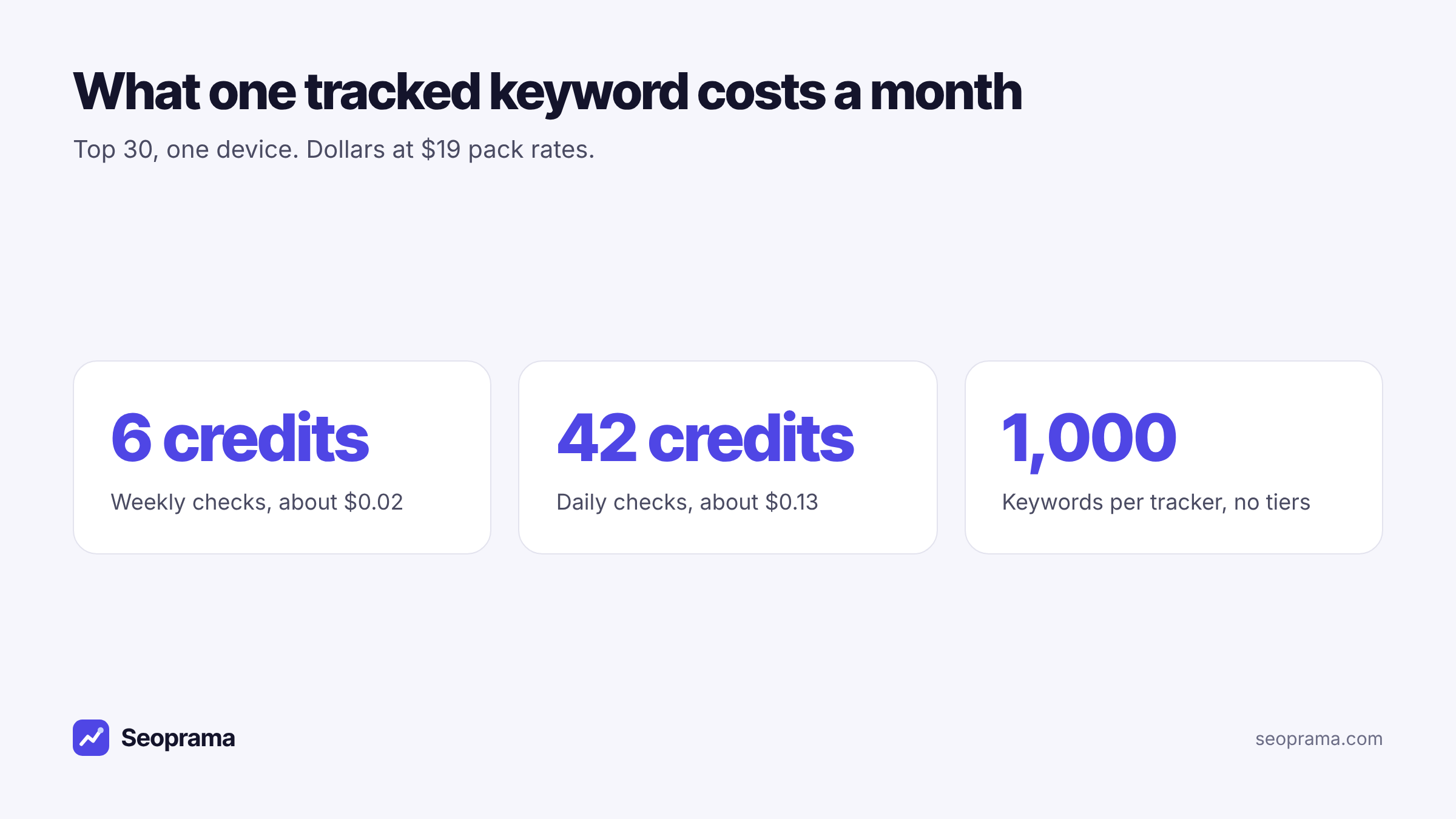
- In Seoprama a keyword checked weekly in the top 30 uses 6 credits a month (about $0.02). Daily uses 42 (about $0.13).
- 200 keywords weekly is 1,200 credits, about $3.80 a month. The same 200 daily is 8,400 credits, about $26.60.
- For agencies, work it out per client. 200 weekly plus 20 daily keywords per client is 2,040 credits, about $6.46.
- Going deeper than the top 30 or tracking a second device costs more, and the app shows the exact monthly cost before you save a tracker.
You’re putting together a proposal and you need one number: what will tracking these keywords cost me each month? Not a plan price. The actual cost per keyword, so you can multiply it by 200, or by 1,400 across seven clients, and know you’re not losing money.
Most rank trackers make that hard because they sell keyword slots in tiers. Seoprama charges per check, so the cost per keyword is a real, fixed number. Here’s the formula, a sheet you can copy, and worked numbers for 200 keywords weekly against daily.
If you want the bigger picture on why you might drop a subscription tracker at all, that’s covered in how to track rankings without a monthly subscription. This post is the calculator.
The formula for rank tracking cost per keyword
There are only three inputs:
- How many keywords you track.
- Credits per keyword a month, which depends on how often you check.
- What you paid per credit, which depends on the pack you bought.
Multiply them and you have your monthly cost:
Monthly cost = keywords × credits per keyword a month × price per credit
In Seoprama, the credits per keyword are:
- Weekly checks, top 30, one device: 6 credits a month.
- Daily checks, top 30, one device: 42 credits a month.
That works out to about 1.4 credits every time a keyword gets checked, whichever schedule you pick. Daily simply checks seven times as often, so it costs seven times as much. Weekly costs a seventh of daily.
For the price per credit, the $19 pack gives you 6,000 credits. That’s $19 ÷ 6,000, or about $0.0032 a credit. So a weekly keyword is about $0.02 a month and a daily keyword about $0.13.
200 keywords weekly vs daily, worked out
Here’s the example most agencies ask about. One client, 200 keywords, top 30, one device.
Weekly: 200 × 6 = 1,200 credits a month. At $19 pack rates that’s 1,200 × $0.0032, about $3.80.
Daily: 200 × 42 = 8,400 credits a month. That’s about $26.60 at $19 pack rates.
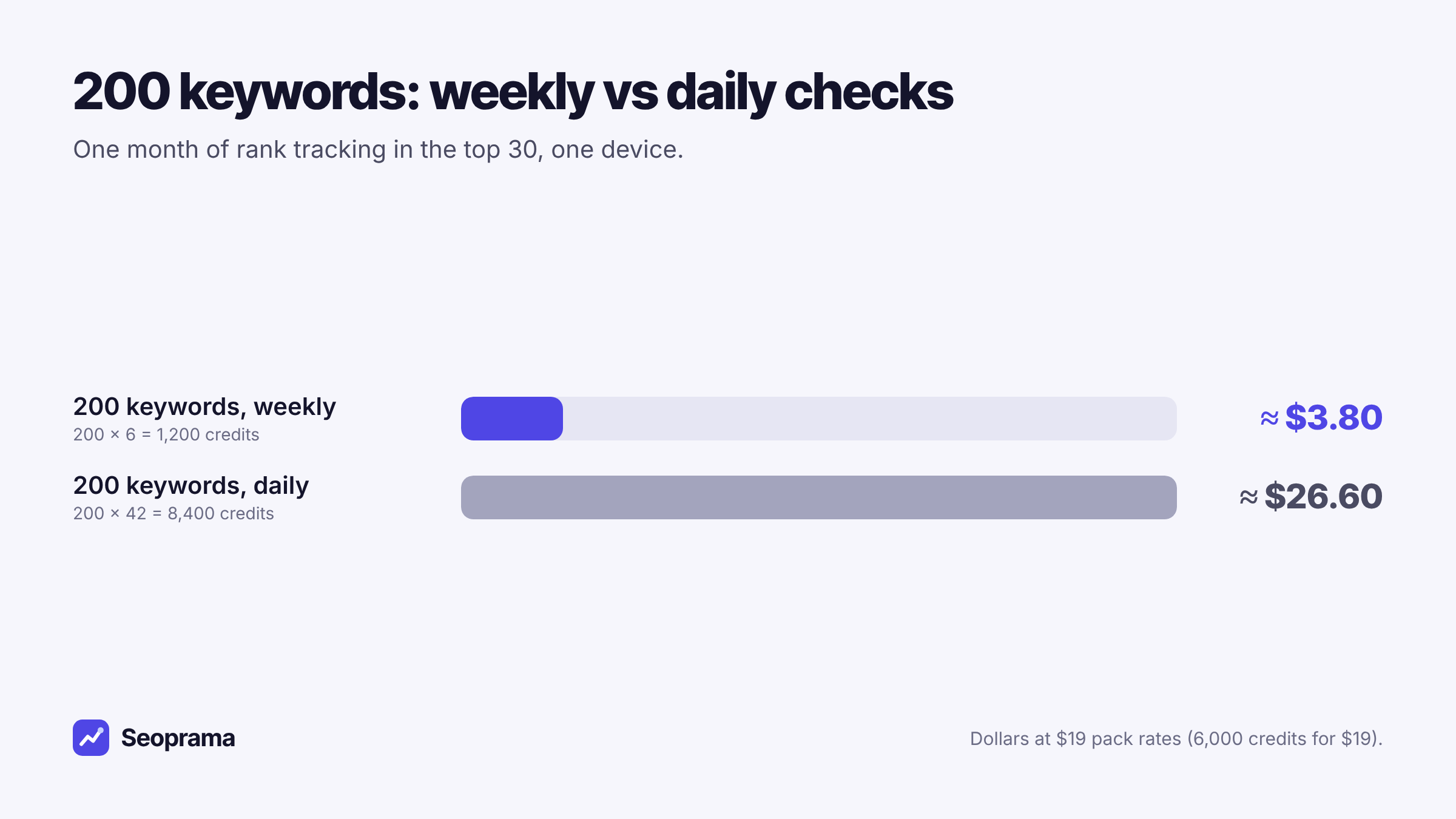
Both numbers are small. But the gap matters once you multiply by clients. Ten clients at 200 keywords daily is 84,000 credits a month. Ten clients weekly is 12,000.
My take: daily on everything is a habit people pick up from plans that include it “for free”. For a 200-keyword set, weekly tells you the trend, and daily mostly shows you Google’s normal wobble. Keep daily for the handful of keywords where a drop costs money this week.
In India, the ₹549 + GST pack has 2,900 credits, about ₹0.19 a credit. So 200 keywords weekly is about ₹227 + GST a month, and daily about ₹1,590 + GST.
Up to 1,000 keywords per tracker with no tiers. A keyword checked weekly uses 6 credits a month.
A rank tracking cost calculator you can copy into Sheets
You don’t need a special tool for this. Open Google Sheets or Excel and set up these columns. Each row is one tracker.
| Column | What goes in it | Example |
|---|---|---|
| A: Client | Who the tracker is for | Clinic |
| B: Tracker | What it tracks | Money keywords |
| C: Keywords | How many | 20 |
| D: Frequency | Weekly or daily | Daily |
| E: Credits per keyword a month | 6 for weekly, 42 for daily | 42 |
| F: Credits a month | =C2*E2 |
840 |
| G: Cost a month | =F2*$J$1 |
$2.66 |
Put your price per credit in cell J1. For the $19 pack that’s =19/6000. For the ₹549 pack it’s =549/2900. If you buy a bigger pack, change J1 and every row updates.
To fill column E automatically, use =IF(D2="Daily",42,6). Then a total row at the bottom with =SUM(F2:F20) tells you how many credits you need each month, and =SUM(G2:G20) what they cost.
A few rows from a filled-in sheet look like this:
| Client | Tracker | Keywords | Frequency | Credits a month | Cost at $19 rates |
|---|---|---|---|---|---|
| Clinic | Money keywords | 20 | Daily | 840 | $2.66 |
| Clinic | Everything else | 200 | Weekly | 1,200 | $3.80 |
| Law firm | All keywords | 150 | Weekly | 900 | $2.85 |
| Total | 370 | 2,940 | $9.31 |
Those clients are made up, but the setup is a common one: a small daily tracker for the terms that pay the bills, and a bigger weekly one for everything else.
What changes the cost per keyword
The 6 and 42 figures assume the default: checked in the top 30, on one device. A few settings move the number.
Frequency. The big one. Daily is seven times weekly. You can also check monthly or on demand at a time you choose, which costs less than weekly. Monthly suits long-tail blog terms you only review once a month anyway.
Depth. You can check anywhere from the top 10 to the top 100. Checking deeper than the top 30 costs more. It’s worth it for new pages still sitting on page four, where a top 30 check would just say “not ranking” and hide the progress.
Devices. You can track desktop, mobile or both, shown side by side. Tracking both costs more than one. If 70% of a client’s visitors are on phones, mobile alone may be all you need.
Location. City-level tracking is included, so tracking Leeds instead of the whole UK doesn’t add a local fee. Two cities is two trackers, so count each one in your sheet.
The app shows each tracker’s monthly credit cost before you save it. So for anything off the default settings, set the tracker up, read the number, and type that into column E instead of 6 or 42.
Agency maths: cost per client, not per account
Agencies don’t really need the cost per keyword. They need the cost per client, because that’s what goes into a retainer. The per-keyword figure just gets you there.
Say you look after five clients. Each gets 200 keywords checked weekly and 20 money keywords checked daily.
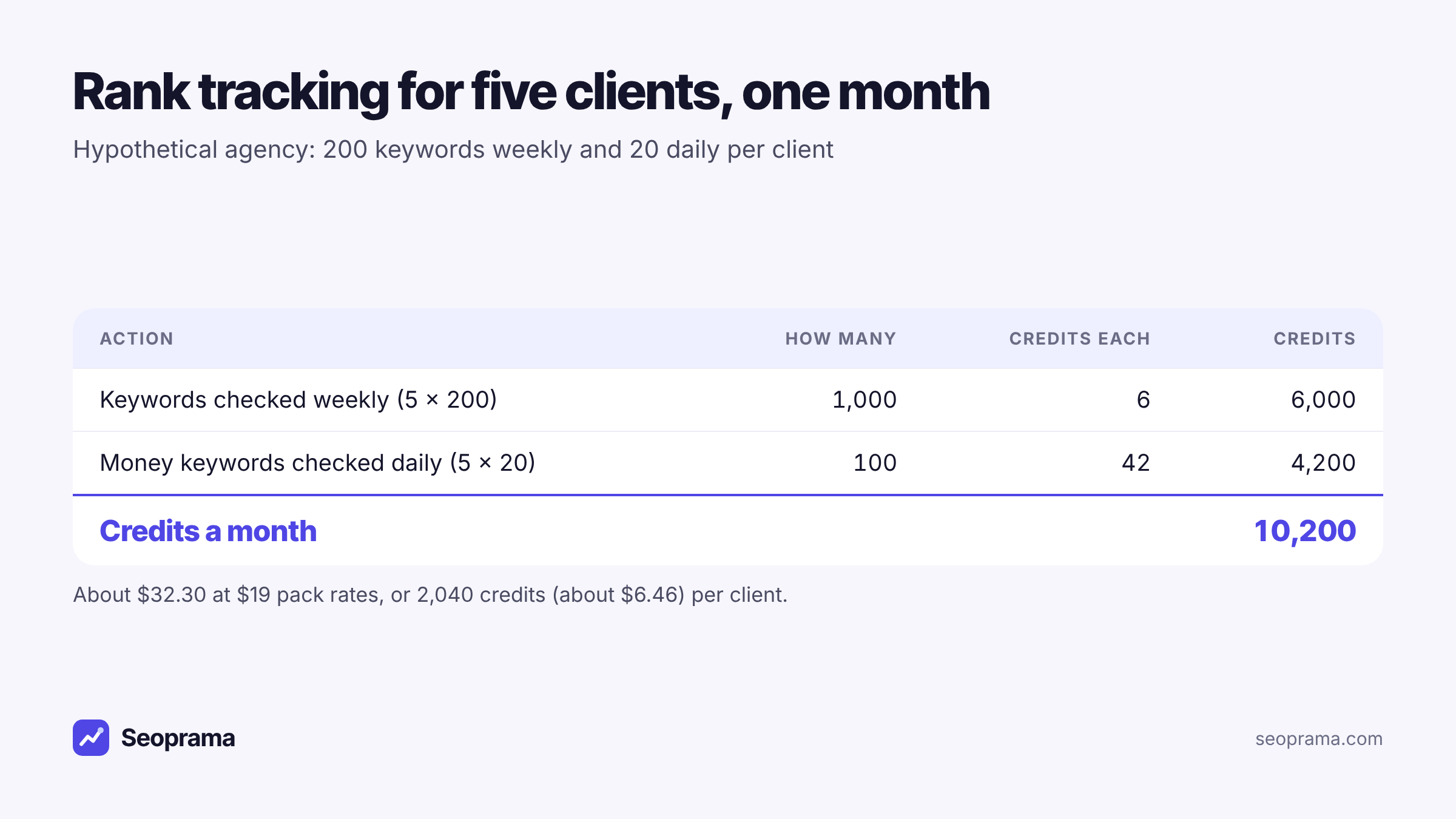
That’s 6,000 + 4,200 = 10,200 credits a month across the agency. Per client it’s 1,200 + 840 = 2,040 credits, about $6.46 at $19 pack rates.
Buying bigger packs brings that down a little. The $99 pack has 35,000 credits, about $0.0028 each, so the same 10,200 credits cost about $28.85 a month and the pack lasts about three and a half months. Credits never expire, so buying ahead doesn’t waste anything.
Two more things that change agency maths:
- No seat fees. Your team shares one credit balance. The account manager, the analyst and the person who builds reports all log in without adding to the bill.
- No tracked-keyword tiers. Each tracker holds up to 1,000 keywords, and you can run as many trackers as you need. Client six doesn’t push you into a bigger plan. It adds 2,040 credits.
If you’d rather have a fixed monthly bill, there are monthly plans too. The Agency plan outside India is $149 for 60,000 credits a month, paid a month at a time with nothing renewing. At 2,040 credits a client, that’s room for rank tracking on about 29 clients set up like the example, or fewer clients plus keyword research and audits. Plans are optional; packs work on their own.
How to price rank tracking to a client
Once you know a client’s tracking costs you about $6 a month, pricing gets easier. A few notes from doing it:
Don’t sell it per keyword. If you quote “$0.10 a keyword”, clients start trimming the list to save a few dollars, and you lose the long-tail data that shows progress. Bundle tracking into the retainer.
Know your floor. Keep the sheet above for every client. If a client asks to add 500 keywords daily, you can see in seconds that it’s 21,000 credits a month and price the change properly.
Charge for the reading, not the data. The data is the cheap part. What the client pays for is you noticing that a page dropped because Google switched to a different URL, and fixing it.
Make reporting part of it. The report builder puts rankings and other data into a client report, exported to PDF or Excel. It’s free for the first 3 months, then part of the Premium add-on at $10 a month.
Tick the tools you use, enter how much, and get a monthly number in your currency before you spend anything.
Setting a tracker up so the cost is right first time
Here’s how I’d set up a client’s tracking so the monthly number matches your sheet.
1. Split keywords by how often you need them. Money keywords in one tracker on daily. Everything else in a second tracker on weekly. This one step usually cuts the bill more than anything else.
2. Pick location and device on purpose. Use the client’s city if they’re local. Choose mobile, desktop or both based on where their visitors are, not habit.
3. Set depth to match the pages. Top 30 for established pages. Deeper for new content that hasn’t reached page three yet.
4. Read the cost before you save. The tracker shows its monthly credit cost. Copy that number into your sheet.
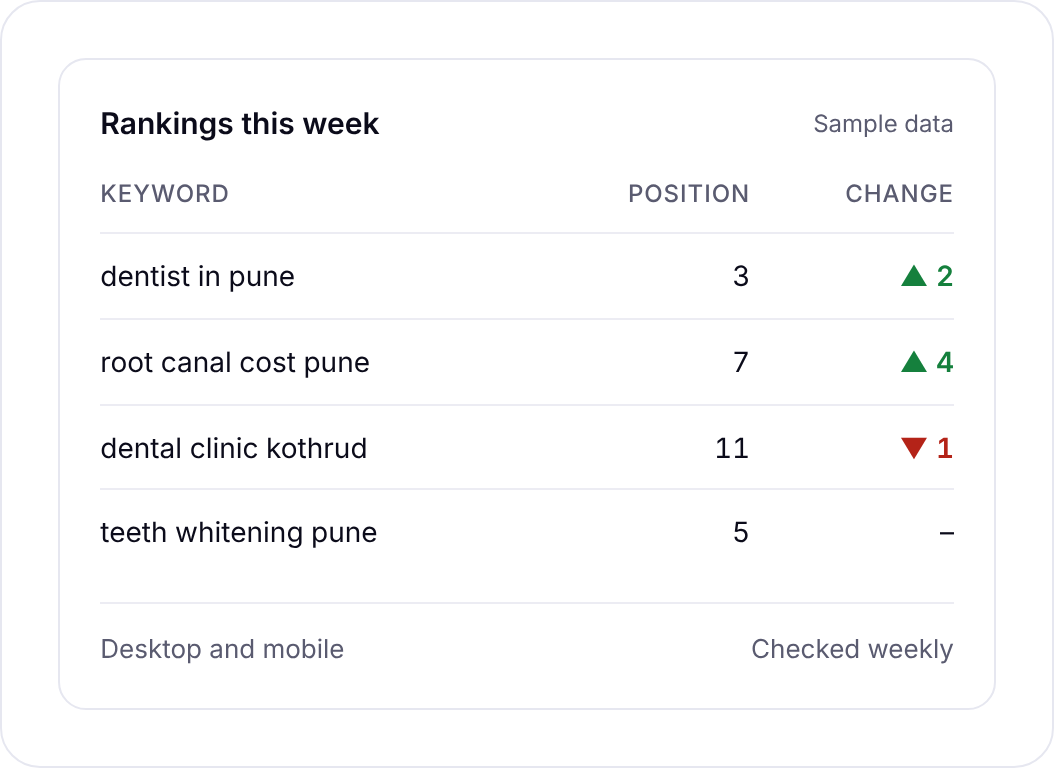
Each keyword in the keyword rank tracker also shows the ranking URL, SERP features, search volume, difficulty and CPC, with a history grid and trend charts. You can export to Google Sheets or CSV, which is handy if your cost sheet and your ranking data live side by side.
This tour shows the app, including how costs appear before anything runs.
How per-keyword cost compares with a keyword tier
Tiered trackers don’t really have a cost per keyword. They have a cost per slot, and you pay for the slot whether it’s full or not.
Take Ahrefs Lite at $129 a month, which includes 750 tracked keywords according to the plan comparison on seoprama.com. If rank tracking were the only thing you used it for, that’s $129 ÷ 750, about $0.17 a keyword slot a month. And if you only fill 300 of the slots, each tracked keyword effectively costs you about $0.43.
To be fair, that comparison isn’t quite even. Ahrefs Lite includes keyword research, audits, backlink data and a far bigger database, and if you use all of that every week it can be good value. The point is narrower: when rankings are what you mainly open a tool for, a fixed price per keyword is easier to plan around than a tier.
You can see packs and plans side by side on the pricing page.
Ways to bring the cost per keyword down
If your sheet total looks higher than you’d like, these help, in roughly this order:
- Move keywords from daily to weekly. Each one you move saves 36 credits a month.
- Trim the list. Old lists collect keywords for deleted pages and near-duplicates. Cut what you wouldn’t act on.
- Use monthly checks for long-tail terms. Blog keywords you review once a month don’t need weekly data.
- Only go deep where it helps. Top 30 is plenty for pages already ranking.
- Buy a bigger pack. The per-credit price drops from about $0.0032 on the $19 pack to about $0.0026 on the $249 pack.
The rank tracker lets you stop a tracker any time. If a client goes quiet for a month, stop theirs and the cost stops with it.
Want to check the maths on a real client? The $2.99 trial gives you 1,000 credits, enough for 166 keywords checked weekly for a month, or a short test of daily checks on your money terms.
About 21 keyword searches, or a few searches plus a backlink lookup and a week of rank tracking. No monthly plan, and credits never expire.
Frequently asked questions
How much does rank tracking cost per keyword?
In Seoprama, a keyword checked weekly in the top 30 on one device uses 6 credits a month, about $0.02 at $19 pack rates. Checked daily, it uses 42 credits, about $0.13.
How much does it cost to track 200 keywords?
Weekly, 200 keywords use 1,200 credits a month, about $3.80 at $19 pack rates. Daily, they use 8,400 credits, about $26.60. In India that’s about ₹227 + GST weekly or ₹1,590 + GST daily at ₹549 pack rates.
Is daily rank tracking worth seven times the cost?
For most keywords, no. Weekly shows the trend. Daily is worth it during a site migration or launch, for the few keywords that bring in most of your leads, and when you’re trading positions with a competitor on a valuable term.
Does tracking mobile and desktop cost more?
Yes, tracking both devices costs more than tracking one, and so does checking deeper than the top 30. The app shows each tracker’s exact monthly credit cost before you save it.
How do agencies work out rank tracking cost per client?
Add up each client’s trackers: keywords × 6 credits for weekly or × 42 for daily, then multiply by your price per credit. A client with 200 weekly and 20 daily keywords uses 2,040 credits a month, about $6.46 at $19 pack rates.